Пилоты! Это инструкция по запуску автономного локального сервера Star Conflict, подключению к нему игрового клиента и базовой настройке серверных компонентов.
Локальный сервер позволяет запускать Star Conflict без подключения к официальным игровым серверам и самостоятельно управлять серверной частью игры. В зависимости от конфигурации можно запускать сервер на том же компьютере, где работает клиент, либо разрешить подключение других компьютеров к серверу.
Если вы хотите просто запустить локальную игру, рекомендуем воспользоваться разделом «Быстрый старт». Остальные разделы предназначены для более подробной настройки сервера и работы с его данными.
Самый простой способ запустить локальный сервер — открыть игру через Steam.
После этого можно играть на локальном сервере.
Важно: если вы запускаете сервер впервые или изменяли его конфигурацию, запуск может занять некоторое время. Дождитесь полной загрузки серверных приложений перед подключением клиента.
ВАЖНОЕ УВЕДОМЛЕНИЕ. 9 ОКТЯБРЯ 2026 ГОДА В 13:00 (UTC+3) КОМПАНИЯ GAIJIN ОКОНЧАТЕЛЬНО ПРЕКРАТИЛА ЭКСПЛУАТАЦИЮ ИГРЫ STAR CONFLICT (ДАЛЕЕ — «ИГРА»).
Gaijin больше не обеспечивает работу официальных серверов Игры, а также не предоставляет обновления, техническое обслуживание и техническую поддержку Игры. Внутриигровые покупки были отключены 1 июня 2026 года.
Продолжить играть в Игру можно только на неофициальных серверах, управляемых независимыми третьими лицами (далее — «Операторы серверов»). Gaijin не является аффилированным лицом Операторов серверов, не контролирует их работу и не несёт ответственности за предоставляемые ими услуги.
Операторы серверов самостоятельно обрабатывают персональные данные и несут ответственность за осуществляемую ими обработку. Gaijin не передаёт персональные данные пользователей Операторам серверов и не имеет доступа к персональным данным, обрабатываемым ими на неофициальных серверах. Не вводите учётные данные для входа в Аккаунт Gaijin на неофициальных серверах.
Персональные данные, находящиеся в распоряжении Gaijin, обрабатываются в соответствии с Политикой конфиденциальности Gaijin.
Внутриигровые предметы лицензируются, а не продаются, и не могут быть перенесены на неофициальные серверы. Все вопросы, связанные с покупками, совершёнными в Игре, включая последствия прекращения эксплуатации Игры для Внутриигровых предметов, регулируются пунктами 2.6 и 7.3 Условий предоставления сервисов Gaijin, пунктом 6.3 Лицензионного соглашения с конечным пользователем (EULA), а также Политикой магазина Gaijin.
Клиент Игры доступен исключительно через Steam и предоставляется на условиях «КАК ЕСТЬ», без каких-либо гарантий в пределах, допускаемых применимым законодательством. Вы используете неофициальные серверы на свой риск и под свою ответственность. В максимальной степени, допускаемой применимым законодательством, Gaijin не несёт ответственности за любые убытки или ущерб, возникшие в результате использования неофициальных серверов.
Все права на Игру и связанную с ней интеллектуальную собственность принадлежат Gaijin или её лицензиарам. Несмотря на положения пунктов 1.2, 3.2.2 и 3.2.8 EULA, а также пункта 4.3.2 Условий предоставления сервисов Gaijin, Gaijin разрешает использование серверных файлов Игры, модификацию Игры и подключение к неофициальным серверам.
Монетизация неофициальных серверов запрещена. При использовании названия Игры в связи с неофициальным сервером такой сервер должен быть чётко обозначен пометкой «Unofficial Server» («Неофициальный сервер»).
Настоящее Уведомление дополняет Условия предоставления сервисов Gaijin и EULA. В случае противоречий между разрешениями, прямо предусмотренными разделом 6 настоящего Уведомления, и положениями Условий предоставления сервисов Gaijin или EULA настоящее Уведомление имеет преимущественную силу исключительно в отношении Игры и только в пределах таких противоречий.
Обработка персональных данных компанией Gaijin по-прежнему регулируется Политикой конфиденциальности Gaijin и применимым законодательством.
Последнее обновление: 9 октября 2026 г.
MongoDB используется для хранения данных локального сервера. При стандартном запуске через Steam база данных запускается автоматически.
Redis необходим только для работы лидербордов. Если лидерборды вам не нужны, устанавливать Redis не требуется.
127.0.0.1:3850. Это позволяет подключаться к нему с того же компьютера.cloud.xml.Изменение адреса сервера не является полноценной защитой от нежелательных подключений. Если сервер доступен из локальной сети или интернета, самостоятельно настройте дополнительные ограничения доступа и сетевую защиту.
Сервером (или нодой) в данной инструкции называются набор серверных приложений и баз данных.
Адрес сервера настраивается в файле конфигурации cloud.xml. По умолчанию задан адрес 127.0.0.1:3850. В этом случае подключиться можно только с локального компьютера. Если необходимо подключение с удаленных компьютеров, то необходимо ввести адрес компьютера, на котором запускается сервер.
Следует учитывать, что даже если указан адрес 127.0.0.1, то это не гарантирует невозможность подключиться с удаленных компьютеров, сервер принимает подключения с любых адресов, но отдает клиентам адрес для подключения, который указан в конфигурации cloud.xml. То есть обычные клиенты не смогут подключиться, но злоумышленник может модифицировать клиент и подключиться к серверу, если знает ip-адрес вашего компьютера и по этому адресу возможно подключение к вашему компьютеру (белый IP или из локальной сети). Вам необходимо самостоятельно позаботиться о дополнительных мерах для предотвращения подключения к вашему серверу нежелательных лиц.
Есть три варианта запуска: автоматический, самостоятельный запуск баз данных и серверных приложений и кнопкой на экране логина в клиенте игры.
При запуске игры из Steam игра автоматически запускает MongoDB и остальные серверные приложения.
pc\launch_mongodb.bat. Дождаться, когда база полностью запустится.launch_server.bat.Запустить сервер можно кнопкой “Запустить сервер” в клиенте, на экране логина. Эта кнопка выполняет файл launch_server_and_db.bat. Файл запускает базу данных MongoDB, ждет 3 секунды и запускает Hub, который запускает остальные серверные приложения. В этом случае нет гарантии, что базы данных загрузятся до того, как начнут запускаться серверные приложения запустятся, что может привести к ошибкам в работе серверных приложений. Если у вас установлен Redis, то можете добавить его запуск в файл launch_server_and_db.bat.
По умолчанию Hub запускает серверные приложения в режиме без окна. Если необходимо, можно переключить режим запуска, чтобы приложения запускались с окном, например если необходим доступ к консоли каждого приложения.
Для этого необходимо в файле конфигурации "pc\cloud\data\hub.cfg" выставить значение переменной hub_detachChildProcesses в 0: set hub_detachChildProcesses 0
При запуске игры через Steam сервер останавливается сам в автоматическом режиме.
В случае запуска игры через exe файл правильная остановка сервера возможна только в том случае, если выполняется следующая последовательность:
/enterMaintenanceMode с указанием количества минут, через которое произойдет переход в этот режим./quit.Если у вас запущен локальный сервер, то на экране логина необходимо выбрать localhost (выбран по умолчанию).
Если вы хотите подключиться к удаленному серверу, то необходимо на экране логина выбрать в выпадающем списке server, ниже появятся поля для ввода адреса и порта удаленного сервера.
Подключайтесь только к серверам, которым вы доверяете, так как в клиенте игры могут быть уязвимости, которые могут позволить злоумышленникам нарушить работу вашего компьютера.
После выбора сервера, введите логин и пароль, нажмите кнопку Login. Если в базе данных нет аккаунта с указанным логином, то создастся новый.
При следующем входе в аккаунт с этим же логином необходимо ввести пароль, который вы ввели при создании аккаунта.
Если вы хотите запретить создание новых аккаунтов, то можете выставить в конфигурации Shard значение переменной cvars.auth_allowInternalAutoCreate = 0
Перед работой с базой данных нужно убедиться что у Вас выключен сервер и игра, иначе все изменения в базе данных могут не сохраниться.
Для работы с базой данных можно установить mongobooster или другие аналоги поддерживающие работу mongodb. Мы разберём на примере mongobooster. Далее нам нужно подключиться к базе, для этого запускаем базу данных через файл launch_mongodb.bat.
Проверяем в mongobooster что коннект с базой данных есть. Для этого нажимаем Create -> Test Connection.
После чего подключаемся к нашей базе данных. Для этого нажимаем Save&Connect.
После коннекта у Вас появится интерфейс работы с базой данных. Слева отображается дерево базы данных, а справа если выбрать один из элементов будут отображается хранимые данных. Разберём на примере аккаунтов на сервере.
Выбираем cosmosim_%ВАШЕ_ЛОКАЛЬНОЕ_ИМЯ_WINDOWS% и в раскрывшимся дереве выбриаем элемент accounts. Здесь будут отображаться все аккаунты которые регистрировались на ваш сервер, в том числе все ваши аккаунты.
Важно: ваш пароль шифруется, поэтому если вы его забыли, здесь его не посмотреть.
В данных аккаунта можно найти различные данные которые показывают что у игрока есть на аккаунте, например можно “поправить” значения Галактических стандартов на своём аккаунте. Для этого находим в базе данных параметр goldCredits и выставляем нужное нам число.
Чтобы исправления в базе данных вступили в силу нужно нажать кнопку Run на верхней панели инструментов.
Если вы хотите начать играть заново, то можете создать новый аккаунт, для этого введите в окне логина логин аккаунта, которого еще нет в базе данных. Можете также удалить всех пользователей и все данные, которые сервер записал в базу данных, для этого можно удалить папку, в которой хранятся данные MongoDB %LOCALAPPDATA%\Targem\StarConflict\cloud\mongodb\data. Если у вас установлена база данных Redis (или совместимая с ней) и сервер к ней подключался, то можно также удалить и ее данные.
Для работы лидербордов можно скачать базу данных Redis или её аналоги поддерживающие вашу операционную систему.
Далее разберём на примере СУБД Redis. Запускаем redis-server.exe. В конфиге игры common.cfg нужно раскомментировать строку set db_redisHost "127.0.0.1:6379|connpool=5". Это нужно для того чтобы игра подключалась к базе данных Redis, если вы используете другую базу данных, то требуется поменять конфиг под вашу СУБД.
Чтобы Redis запускался автоматически при нажатии на “Запустить сервер” надо в файле launch_server_and_db.bat. прописать его запуск.
start "" "C:\Work\build\Redis-x64-5.0.14.1\redis-server.exe"Правильное завершение работы Redis: Запустить redis-cli.exe и вести команду SHUTDOWN с параметром SAVE.
Игровые данные хранятся в папке “pc\data”.
Некоторые игровые данные могут использоваться одновременно клиентом и сервером.
Некоторые серверные приложения могут читать данные из тех же lua-файлов, что и клиент, например DedicatedServer. Но большинство серверных приложений читает данные из xml, которые генерируются на основе данных в lua.
Игровые данные для сервера хранятся в папке “pc\cloud\data”. Если вам необходимо изменить игровые данные, которые хранятся одновременно в lua и xml файлах, то необходимо поменять данные в lua-файлах, а потом запустить файл "pc\cloud\prepare_shared.bat" (для корректной работы должна быть запущена MongoDB), который сгенерирует необходимые xml-файлы, достаточно при любом изменении данных в lua-файлах запускать файл "pc\cloud\prepare_shared.bat".
Большая часть настроек находится в файле "pc\cloud\data\default_platform_config.lua".
Для каждого серверного приложения есть соответствующая lua-функция, например ConfigureShard - для Shard, или ConfigureMatchmaker для Matchmaker. В этих функциях прописываются настройки.
Также в “pc\cloud\data” есть конфигурационные файлы для каждого приложения, например shard.cfg или matchmaker.cfg, и есть общий конфигурационный файл common.cfg, в который можно прописать значения переменных, которые должны применяться сразу на нескольких серверных приложениях.
april_controlARENAatdmBRAWLcapture_the_basecapture_the_base_2CloseDistanceCLOSE_DISTANCECOOP_VS_AICUSTOM_GAMEfootballgtdmhunger_gamesone_against_allOPEN_WORLD_MAPOPEN_WORLD_STARTPVE_MISSIONPVE_MISSIONSPVE_RANDOMPVPQUESTSRAIDRANDOM_BFSsentinelthree_teams_dmTOURNAMENTzombieОписание настроек матчмейкера можно найти в файле matchmaking.md
Чтобы поменять язык в игре можно прописать в ярлыке или в настройках запуска Steam.
-lang RUSSIAN-lang ENGLISH-lang FRENCH-lang GERMAN-lang SPANISH-lang POLISH-lang PORTUGUESE-lang HUNGARIAN-lang CZECH-lang UKRAINIAN-lang CHINESEТакже язык можно поменять в файле user_config.xml расположенному по пути %LOCALAPPDATA%\Targem\StarConflict\
Логи серверных приложений хранятся в папке “%LOCALAPPDATA%\Targem\StarConflict\cloud\Hub\logs”.
Pilots! This guide explains how to run a standalone local Star Conflict server, connect the game client to it, and perform basic configuration of the server components.
A local server allows you to run Star Conflict without connecting to the official game servers and to manage the server side of the game yourself. Depending on your configuration, you can run the server on the same computer as the client, or allow other computers to connect to the server.
If you just want to start a local game, we recommend using the “Quick Start” section. The other sections are intended for more detailed server configuration and working with its data.
The easiest way to start a local server is to launch the game through Steam.
After that, you can play on the local server.
Important: If you are starting the server for the first time or have changed its configuration, it may take some time to start up. Wait until the server applications have fully loaded before connecting a client.
IMPORTANT NOTICE. ON OCTOBER 9, 2026, AT 13:00 (UTC+3), GAIJIN PERMANENTLY DISCONTINUED THE OPERATION OF STAR CONFLICT (THE “GAME”).
Gaijin no longer operates official servers for the Game and no longer provides updates, maintenance, or technical support for the Game. In-game purchases were discontinued on June 1, 2026.
The Game can only be played on unofficial servers operated by independent third parties (“Server Operators”). Gaijin is not affiliated with the Server Operators and does not control or endorse them.
Server Operators process personal data independently and are responsible for their own data processing activities. Gaijin does not transfer users' personal data to Server Operators and does not have access to personal data processed by them on unofficial servers. Never enter your Gaijin Account credentials on unofficial servers.
Personal data held by Gaijin is processed in accordance with the Gaijin Privacy Policy.
In-Game Items are licensed, not sold, and cannot be transferred to unofficial servers. All matters relating to purchases made in the Game, including the consequences of the Game's discontinuation for In-Game Items, are governed by Clauses 2.6 and 7.3 of the Gaijin Terms of Service, Clause 6.3 of the EULA, and the Gaijin Store Policy.
The Game client is available exclusively through Steam and is provided on an “AS IS” basis, without warranties of any kind, to the extent permitted by applicable law. You use unofficial servers at your own risk. To the maximum extent permitted by applicable law, Gaijin shall not be liable for any loss or damage arising from the use of unofficial servers.
All intellectual property rights in the Game remain with Gaijin or its licensors. Notwithstanding Clauses 1.2, 3.2.2, and 3.2.8 of the EULA and Clause 4.3.2 of the Terms of Service, Gaijin permits the use of the Game's server files, modification of the Game, and connections to unofficial servers.
Unofficial servers must not be monetized and must be clearly identified as “Unofficial Server” wherever the Game's name is used in connection with them.
This Notice supplements the Gaijin Terms of Service and the EULA. To the extent that the permissions expressly granted under Section 6 conflict with the Terms of Service or the EULA, this Notice prevails solely in respect of the Game and only to the extent of such conflict.
The processing of personal data by Gaijin remains governed by the Gaijin Privacy Policy and applicable law.
Last updated: October 9, 2026
MongoDB is used to store data on the local server. When launched normally through Steam, the database starts automatically.
Redis is required only for the leaderboards to function. If you don't need leaderboards, you don't need to install Redis.
127.0.0.1:3850. This allows you to connect to it from the same computer.cloud.xml configuration file.Changing the server's address does not provide complete protection against unwanted connections. If the server is accessible from a local network or the Internet, set up additional access restrictions and network security measures on your own.
A server (or a node) is a bundle of server applications and databases.
The server address is configured in the cloud.xml configuration file. The default address is 127.0.0.1:3850. In this case, you can connect only from your local PC. If you need to connect from remote PCs, you must enter the address of the PC running the server.
Please note that even if the 127.0.0.1 address is specified, this doesn’t guarantee that remote PCs will be unable to connect; the server accepts connections from any address but provides clients with the connection address specified in the cloud.xml configuration. In other words, regular clients will not be able to connect, but an attacker could modify a client and connect to the server if they know your computer’s IP address and can use that address to connect to your PC (a public IP or one from your local network). You must take additional measures independently to prevent unauthorized users from connecting to your server.
There are 3 ways to launch the server: automatic, manual launching of the database and other server applications, and by using a button in the game client.
When you launch the game using your Steam client, the game automatically runs MongoDB and other server applications.
pc\launch_mongodb.bat file. Wait until the database is fully launched.launch_server.bat file.You can launch the server by using the “Launch server” button on the login screen. This button executes the launch_server_and_db.bat file. The file launches the MongoDB database, waits for 3 seconds, and launches Hub, which launches the rest of the server applications. In this case, there is no guarantee that the databases will load before the server applications start running, which could cause the server applications to malfunction. If you have Redis installed, you can add a command to launch it to the launch_server_and_db.bat file.
By default, Hub runs server applications in windowless mode. If necessary, you can change the launch mode so that applications run in a window, for example, if you need access to each application’s console.
To do this, set the hub_detachChildProcesses to 0 (set hub_detachChildProcesses 0) in the “pc\cloud\data\hub.cfg” configuration file
If the game was launched via the Steam client, the server will stop automatically.
If the game was launched via its .exe file, the server can only be shut down properly if the following sequence of steps is followed:
/enterMaintenanceMode console command in the Hub, specifying the number of minutes after which the server will enter this mode./quit console command.If you have a local server running, select “localhost” on the login screen (this is selected by default).
If you want to connect to a remote server, select “server” from the drop-down list on the login screen; fields for entering the remote server’s address and port will appear below.
Always connect only to servers you trust, as the game client may contain vulnerabilities that could allow attackers to compromise your PC.
After selecting a server, enter your username and password, then click the “Login” button. If there is no account with the specified username in the database, a new one will be created.
Next time you log in to your account with the same username, you’ll need to enter the password you used when creating the account.
If you want to prevent the creation of new accounts, you can set the value of the variable in the Shard configuration to cvars.auth_allowInternalAutoCreate = 0
Before working with the database, you need to make sure that your server and the game itself are not launched; otherwise, the changes in the database may be cancelled.
To work with the database, you can install Mongobooster or other similar tools that support MongoDB. Let's take a look at Mongobooster as an example. We need to connect to the database. To do this, launch the database using the launch_mongodb.bat file
Check in Mongobooster to make sure we have a connection to the database. To do this, click Create -> Test Connection.
Next, connect to your database by pressing “Save&Connect”.
Once you are connected, the database interface will appear. The database tree is displayed on the left, and on the right, the stored data will be displayed when you select one of the items. Let's take a look at an example with accounts on the server
Select cosmosim_%YOUR_LOCAL_NAME_WINDOWS% and select accounts in the opened branch. All accounts that have been registered on your server will be displayed here, including all of your own accounts.
Important: the password here is encrypted, so you can’t see it here if you forgot it.
In the account data, you can find various details showing what a player has in their account; for example, you can “adjust” the Galactic Standarts balance on your account. To do this, locate the “goldCredits” parameter in the database and set it to the desired number.
To apply the changes to the database, click the “Run” button on the top toolbar.
If you want to play from the start, you can create a new account by entering a username in the login window that isn’t already in the database. You can also delete all users and all data that the server has stored in the database by deleting the folder where the MongoDB data is stored: %LOCALAPPDATA%\Targem\StarConflict\cloud\mongodb\data. If you have a Redis database (or a compatible one) installed and the server was connected to it, you can also delete its data.
In order to enable leaderboards, you can download the Redis database or its counterparts, which support your operating system.
Redis DBMS (database management system) as an example. First, we need to launch redis-server.exe. In the common.cfg game configuration file, we need to uncomment the set db_redisHost "127.0.0.1:6379|connpool=5" line. This is necessary for the game to connect to the Redis database. If you are using a different database, you will need to modify the configuration to match your DBMS.
To have Redis start automatically when you click “Start Server,” you need to configure it to launch in the launch_server_and_db.bat file.
start "" "C:\Work\build\Redis-x64-5.0.14.1\redis-server.exe"Here’s how to properly shut down Redis: Run redis-cli.exe and execute the SHUTDOWN command with the SAVE parameter.
The game data is being stored in the “pc\data” folder.
Some of the game data files can be used by the client and then the server at the same time.
Certain server applications can read data from the same lua files as the client, such as DedicatedServer. However, most server applications read data from XML files that are generated based on the data in lua.
The game data for the server is stored in the “pc\cloud\data” folder. If you need to change the game data that is simultaneously stored in the lua and xml files, you need to change the data in the lua files first. Then you need to launch the “pc\cloud\prepare_shared.bat” file (MongoDB must be running for this to work properly), which will generate the necessary xml files. Whenever you make any changes to the data in the lua files, simply run the “pc\cloud\prepare_shared.bat” file.
Most of the settings can be found in the "pc\cloud\data\default_platform_config.lua" file.
For each server application, there is a corresponding Lua function; for example, “ConfigureShard” for Shard or “ConfigureMatchmaker” for Matchmaker. The settings are configured within those functions.
The “pc\cloud\data” directory also contains configuration files for each application, such as shard.cfg or matchmaker.cfg, as well as a general configuration file, common.cfg, where you can specify values for variables that should apply to multiple server applications at once.
The description of the matchmaker settings can be found in the matchmaking.md file.
To change the in-game language you can add the following to the game’s desktop shortcut or in your Steam launch settings.
-lang RUSSIAN-lang ENGLISH-lang FRENCH-lang GERMAN-lang SPANISH-lang POLISH-lang PORTUGUESE-lang HUNGARIAN-lang CZECH-lang UKRAINIAN-lang CHINESEYou can also change the game language in the user_config.xml file, which can be found here: %LOCALAPPDATA%\Targem\StarConflict\
The server application logs are stored in the “%LOCALAPPDATA%\Targem\StarConflict\cloud\Hub\logs” folder.
Пилоты. Друзья.
Когда-то Star Conflict начинался с первых боёв, первых кораблей и первых попыток понять, каким будет этот космос. Сегодня, спустя четырнадцать лет, мы с вами подходим к концу этой прекрасной истории.
9 октября 2026 года в 13:00 (МСК) серверы Star Conflict будут остановлены.
За четырнадцать лет игра успела несколько раз измениться почти до неузнаваемости: появлялись новые классы кораблей, фракции, режимы, локации и игровые системы. Произошло слишком много всего, чтобы уместить это в одном письме. Поэтому сегодня мы хотим не просто рассказать вам о закрытии проекта. Мы хотим вместе с вами вспомнить путь, который Star Conflict прошёл за эти годы.
От первых боёв на закрытом бета-тестировании до сегодняшнего дня прошло 5294 дня. За это время вы совершили 97 717 550 вылетов и провели в игре 29 653 666 часов — это больше 3380 лет суммарного игрового времени.
За четырнадцать лет в Star Conflict было создано 4,3 миллиона уникальных аккаунтов. Мы выпустили более 170 обновлений, добавили 311 кораблей и создали 90 локаций.
За каждой этой цифрой скрывается кто-то из вас, тот, кто однажды нажал кнопку “В бой”
Кто-то впервые сел в кабину своего корабля ещё во время закрытого бета-тестирования. Кто-то впервые оказался в этом космосе много лет спустя. Кто-то играл каждый день, а кто-то возвращался спустя месяцы или даже годы, просто чтобы снова увидеть знакомый ангар, услышать знакомое “Добро пожаловать, капитан” и отправиться в очередной вылет.
Давайте вспомним несколько моментов, которые особенно сильно повлияли на историю игры.
А дальше началась уже та история, которую многие из вас помнят лично.
А потом были новые корабли, новые режимы, новые локации, новые фракции и новые истории. Менялась сама игра. Иногда сильно. Иногда настолько, что спустя несколько лет её было трудно узнать. Но кое-что оставалось неизменным.
Вы. Наши пилоты, наёмники, биоморфы. Наши игроки.
За четырнадцать лет через Star Conflict прошло несколько поколений игроков. Для кого-то эта игра была первым большим онлайн-проектом. Для кого-то - местом, где появились друзья. Для кого-то - привычным вечерним ритуалом после работы или учёбы. Кто-то собирал свой первый корабль и радовался каждой новой детали. Кто-то часами спорил о билдах. Кто-то помнит свой первый вылет, первую победу или тот самый корабль, который когда-то казался недостижимой мечтой. Кто-то знакомился с другими игроками в чате, создавал корпорацию, участвовал в турнирах и проводил ночи в боях. А кто-то просто время от времени возвращался в игру.
Наверное, именно поэтому закрывать Star Conflict особенно тяжело. Мы закрываем место, в котором за четырнадцать лет произошло огромное количество маленьких, но важных для кого-то событий.
Мы тоже совершали ошибки. Принимали решения, которые спустя годы хотелось бы сделать иначе. Экспериментировали, ошибались, спорили, переделывали и снова пробовали. Всё это время мы старались делать игру, в которую хотелось бы возвращаться.
Но мы не хотим, чтобы история Star Conflict остановилась вместе с серверами. Завтра, после остановки серверов, мы выпустим Star Conflict Community Edition - специальную версию игры, которая позволит вам запускать локальный сервер на своём компьютере и возвращаться в Star Conflict спустя годы. Посмотреть на знакомые корабли. Зайти в старый ангар. Показать игру друзьям. А может быть, однажды кто-то, кто сегодня ещё даже не знает о Star Conflict, запустит Community Edition и впервые услышит: «Добро пожаловать, капитан». И тогда история, начавшаяся четырнадцать лет назад, не закончится окончательно. Потому что теперь её продолжение будет зависеть уже от вас.
И все же, главное наследие Star Conflict это не цифры в статистике, а время, которое мы провели с вами вместе. Воспоминания о людях, которых мы встретили. О боях, которые запомнились. О кораблях, которые когда-то были нашими любимыми. О победах, поражениях, спорах, шутках, случайных знакомствах и тех самых вечерах, когда «ещё один бой» неожиданно превращался в несколько часов.
Для каждого Star Conflict был своим. И поэтому у каждого из нас останется своя история этой игры.
Спасибо всем, кто был с нами, тем, кто пришёл четырнадцать лет назад и тем, кто присоединился вчера.
Спасибо тем, кто играл тысячи часов и тем, кто провёл в игре всего несколько вечеров.
Спасибо тем, кто создавал корпорации и тем, кто предпочитал летать в одиночку.
Спасибо тем, кто хвалил нас и отдельное спасибо тем, кто ругал - иногда именно благодаря вам игра становилась лучше.
Спасибо за ваши предложения, споры, отчёты об ошибках, мемы, видео, стримы, фанатские материалы и просто сообщения в чате.
Спасибо за то, что всё это время вы не позволяли этому миру стать пустым.
Без вас Star Conflict никогда не стал бы тем, чем он стал.
Четырнадцать лет — это очень много.
За это время дети, которые впервые запускали Star Conflict вместе с родителями, успели вырасти. Люди закончили школу и университеты, нашли первую работу, сменили города, встретили друзей, создали семьи. У кого-то за это время изменилось почти всё. А где-то всё это время оставался маленький космический ангар, знакомый корабль и кнопка «В бой».
Но мы хотим верить, что это не только конец. Это ещё и возможность остановиться, оглянуться назад и сказать: «Это было здорово».
Да, не всё получилось идеально. Да, были ошибки. Были трудные времена, спорные решения и моменты, когда казалось, что всё идёт не так. Но были и тысячи часов, проведённых вместе. Были победы. Были друзья. Был Star Conflict.
Сегодня мы ставим точку в истории Star Conflict как постоянно работающего онлайн-проекта. Но не хотим ставить точку в вашей истории с этой игрой.
Сохраните свои воспоминания. Сохраните скриншоты, записи боёв и истории о тех людях, с которыми вы познакомились здесь. А если когда-нибудь спустя годы вы снова откроете Community Edition, увидите знакомый корабль и на секунду вспомните тот самый вечер, когда впервые отправились в бой, — значит, всё это было не зря.
Спасибо, что летали вместе с нами.
Это было большое путешествие. И мы все прошли его вместе.
Спасибо за эти четырнадцать лет. Нам было невероятно приятно быть частью вашей истории. И если однажды вы снова услышите: «Добро пожаловать, капитан»,
надеемся, вы улыбнётесь.
Потому что мы тоже улыбнёмся.
До встречи в космосе!
С безграничным уважением и благодарностью,
Ваша команда Star Conflict
Pilots. Friends.
Star Conflict once began with the first battles, the first ships, and the first attempts to understand what its universe would be like. Today, fourteen years later, we are nearing the end of this wonderful story.
On October 9, 2026 at 10:00 (GMT) the Star Conflict servers will be shut down.
Over the past fourteen years, the game has changed several times, becoming almost a different game altogether with new ship classes, factions, game modes, locations, and game systems introduced. Too much has happened to fit into a single letter. That’s why today we want not to simply inform you about the end of the project, but to look back on the journey Star Conflict has taken over the years.
It has been 5,294 days since the first battles in the closed beta testing. During that time, you went to battle 97,717,550 times and spent 29,653,666 hours in the game, which is more than 3,380 years of total playtime.
Over the past fourteen years, 4.3 million unique accounts have been created in Star Conflict. We’ve released over 170 updates, added 311 ships, and created 90 locations.
Behind each of these numbers is one of you, someone who once clicked the “Battle” button.
Someone who first piloted their ship during the closed beta testing. Someone who found themselves in this universe for the first time many years later. Someone who played every day, someone who returned months or even years later, just to see the familiar hangar again, hear the familiar “Welcome back, captain,” and set off on another mission.
Let’s look back at a few moments that had a particularly significant impact on the game’s history.
And then began the story that many of you remember firsthand.
And then there were new ships, new game modes, new locations, new factions, and new stories. The game itself changed. Sometimes drastically. Sometimes so much that, a few years later, it was hard to recognize it. But some things remained the same.
You. Our pilots, mercenaries, biomorphs. Our players.
Several generations of players have played Star Conflict over the past fourteen years. For some, this game was their first major online gaming experience. For some, it was a place where they made friends. For some, it was a familiar evening ritual after work or school. Some built their first ship and were happy about every new part. Some spent hours debating ship builds. Some remember their first mission, their first victory, or that very ship that once seemed like an unattainable dream. Some met other players in chat, formed corporations, participated in tournaments, and spent nights in battle. And some simply returned to the game from time to time.
That’s probably why shutting down Star Conflict is especially hard. We’re closing a place where a huge number of small, but important to someone, events took place over the course of fourteen years.
We made mistakes, too. We made decisions that, looking back years later, we wish we’d handled differently. We experimented, made wrong choices, argued, reworked things, and tried again. All this time, we tried to make a game that we’d want to come back to.
But we don’t want the story of Star Conflict to end along with the servers. Tomorrow, after the servers go offline, we’ll release Star Conflict Community Edition, a special version of the game that will let you run a local server on your computer and return to Star Conflict years from now. See familiar ships. Step into your old hangar. Show the game to friends. And maybe one day, someone who doesn’t even know about Star Conflict today will launch the Community Edition and hear “Welcome back, captain” for the first time. And then the story that began fourteen years ago won’t end for good. Because now, its continuation will depend on you.
And yet, Star Conflict’s greatest legacy isn’t the numbers or the statistics, but the time we spent together. Memories of the people we met. Of the battles that left a lasting impression. Of the ships that were once our favorites. Of victories, defeats, arguments, jokes, chance encounters, and those evenings when “just one more battle” unexpectedly turned into several hours.
Star Conflict meant something different to everyone. And that’s why each of us will have our own story about this game.
Thank you to everyone who has been with us, to those who joined us fourteen years ago and those who joined yesterday.
Thank you to those who have played for thousands of hours and those who have spent just a few evenings in the game.
Thank you to those who founded corporations and to those who preferred to fly solo.
Thank you to those who praised us, and a special thank you to those who criticized us: sometimes it was precisely because of you that the game got better.
Thank you for your suggestions, debates, bug reports, memes, videos, livestreams, fan content, and even just your chat messages.
Thank you for never letting this world become empty all this time.
Without you, Star Conflict would never have become what it is today.
Fourteen years is a very long time.
During this time, the children who first launched Star Conflict alongside their parents have grown up. People have graduated from high school and college, found their first jobs, moved to new cities, made friends, and started families. For some, almost everything has changed during this time. But all along, there’s been a small space hangar, a familiar ship, and the “Battle” button.
But we want to believe that this isn’t just the end. It’s also a chance to pause, look back, and say, “That was great.”
Yes, not everything went perfectly. Yes, there were mistakes. There were difficult times, controversial decisions, and moments when it seemed like everything was going wrong. But there were also thousands of hours spent together. There were victories. There were friends. There was Star Conflict.
Today we’re bringing the story of Star Conflict as an active online game to a close. But we don’t want to put an end to your story with this game. Cherish your memories. Save your screenshots, battle videos, and stories about the people you’ve met here. And if someday, years from now, you open the Community Edition again, see a familiar ship, and for a moment recall that very evening when you first went into battle, then it was all worth it. Thank you for flying with us.
It’s been a great journey. And we’ve all been on it together.
Thank you for these fourteen years. It has been an incredible pleasure to be a part of your story. And if one day you hear “Welcome back, captain” again, we hope you’ll smile. Because we’ll be smiling, too.
See you in space!
With endless respect and gratitude,
Your Star Conflict team
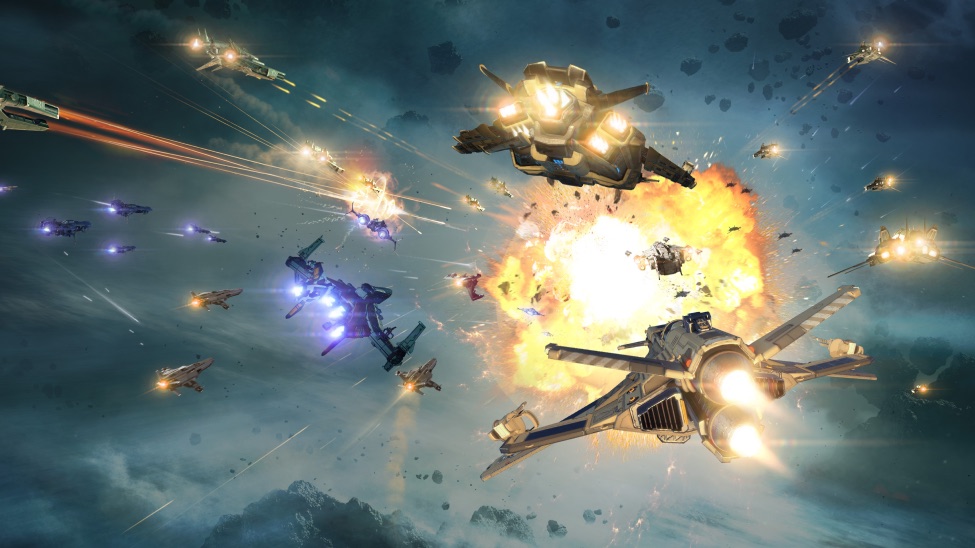
Пилоты, уведомляем вас о том, что официальные серверы Star Conflict прекратили работу. Благодарим за вашу поддержку и заинтересованность в проекте!
ВАЖНОЕ УВЕДОМЛЕНИЕ. 9 ОКТЯБРЯ 2026 ГОДА В 13:00 (UTC+3) КОМПАНИЯ GAIJIN ОКОНЧАТЕЛЬНО ПРЕКРАТИЛА ЭКСПЛУАТАЦИЮ ИГРЫ STAR CONFLICT (ДАЛЕЕ — «ИГРА»).
Gaijin больше не обеспечивает работу официальных серверов Игры, а также не предоставляет обновления, техническое обслуживание и техническую поддержку Игры. Внутриигровые покупки были отключены 1 июня 2026 года.
Продолжить играть в Игру можно только на неофициальных серверах, управляемых независимыми третьими лицами (далее — «Операторы серверов»). Gaijin не является аффилированным лицом Операторов серверов, не контролирует их работу и не несёт ответственности за предоставляемые ими услуги.
Операторы серверов самостоятельно обрабатывают персональные данные и несут ответственность за осуществляемую ими обработку. Gaijin не передаёт персональные данные пользователей Операторам серверов и не имеет доступа к персональным данным, обрабатываемым ими на неофициальных серверах. Не вводите учётные данные для входа в Аккаунт Gaijin на неофициальных серверах.
Персональные данные, находящиеся в распоряжении Gaijin, обрабатываются в соответствии с Политикой конфиденциальности Gaijin.
Внутриигровые предметы лицензируются, а не продаются, и не могут быть перенесены на неофициальные серверы. Все вопросы, связанные с покупками, совершёнными в Игре, включая последствия прекращения эксплуатации Игры для Внутриигровых предметов, регулируются пунктами 2.6 и 7.3 Условий предоставления сервисов Gaijin, пунктом 6.3 Лицензионного соглашения с конечным пользователем (EULA), а также Политикой магазина Gaijin.
Клиент Игры доступен исключительно через Steam и предоставляется на условиях «КАК ЕСТЬ», без каких-либо гарантий в пределах, допускаемых применимым законодательством. Вы используете неофициальные серверы на свой риск и под свою ответственность. В максимальной степени, допускаемой применимым законодательством, Gaijin не несёт ответственности за любые убытки или ущерб, возникшие в результате использования неофициальных серверов.
Все права на Игру и связанную с ней интеллектуальную собственность принадлежат Gaijin или её лицензиарам. Несмотря на положения пунктов 1.2, 3.2.2 и 3.2.8 EULA, а также пункта 4.3.2 Условий предоставления сервисов Gaijin, Gaijin разрешает использование серверных файлов Игры, модификацию Игры и подключение к неофициальным серверам.
Монетизация неофициальных серверов запрещена. При использовании названия Игры в связи с неофициальным сервером такой сервер должен быть чётко обозначен пометкой «Unofficial Server» («Неофициальный сервер»).
Настоящее Уведомление дополняет Условия предоставления сервисов Gaijin и EULA. В случае противоречий между разрешениями, прямо предусмотренными разделом 6 настоящего Уведомления, и положениями Условий предоставления сервисов Gaijin или EULA настоящее Уведомление имеет преимущественную силу исключительно в отношении Игры и только в пределах таких противоречий.
Обработка персональных данных компанией Gaijin по-прежнему регулируется Политикой конфиденциальности Gaijin и применимым законодательством.
Последнее обновление: 9 октября 2026 г.
Pilots, please note that the official Star Conflict servers have been shut down. Thank you for your support and interest in the game!
IMPORTANT NOTICE. ON OCTOBER 9, 2026, AT 13:00 (UTC+3), GAIJIN CEASED OPERATION OF THE GAME STAR CONFLICT (HEREINAFTER REFERRED TO AS “THE GAME”).
Gaijin no longer operates the Game’s official servers, nor does it provide updates, maintenance, or technical support for the Game. In-game purchases were disabled on June 1, 2026.
You may continue playing the Game only on unofficial servers operated by independent third parties (hereinafter referred to as “Server Operators”). Gaijin is not affiliated with the Server Operators, does not control their operations, and is not responsible for the services they provide.
Server Operators process personal data independently and are responsible for the processing they carry out. Gaijin does not transfer users’ personal data to Server Operators and does not have access to the personal data they process on unofficial servers. Do not enter your Gaijin Account login data on unofficial servers.
Personal data held by Gaijin is processed in accordance with Gaijin’s Privacy Policy.
In-game items are licensed, not sold, and cannot be transferred to unofficial servers. All matters related to purchases made within the Game, including the consequences of the Game’s discontinuation for in-game items, are governed by Sections 2.6 and 7.3 of Gaijin’s Terms of Service, Section 6.3 of the End User License Agreement (EULA), and the Gaijin Store Policy.
The Game client is available exclusively through Steam and is provided “AS IS,” without any warranties to the extent permitted by applicable law. You use unofficial servers at your own risk and under your own responsibility. To the fullest extent permitted by applicable law, Gaijin shall not be liable for any losses or damages resulting from the use of unofficial servers.
All rights to the Game and the related intellectual property belong to Gaijin or its licensors. Notwithstanding the provisions of Sections 1.2, 3.2.2, and 3.2.8 of the EULA, as well as Section 4.3.2 of Gaijin’s Terms of Service, Gaijin permits the use of the Game’s server files, modification of the Game, and connection to unofficial servers.
Monetization of unofficial servers is prohibited. If the Game’s title is used in connection with an unofficial server, such server must be clearly labeled “Unofficial Server.”
This Notice supplements the Gaijin Terms of Service and the EULA. In the event of any conflict between the permissions expressly provided for in Section 6 of this Notice and the provisions of the Gaijin Terms of Service or the EULA, this Notice shall prevail solely with respect to the Game and only to the extent of such conflicts.
Gaijin’s processing of personal data continues to be governed by the Gaijin Privacy Policy and applicable law.
Last updated: October 9, 2026